Binance signup: referral, identity and security checks
Prepare a personal account, check referral association, complete identity verification and secure access without assuming eligibility.
- Create the accountVerify contact details and check referral association
- Verify identityProvide your own documents under regional requirements
- Security and eligibilityArrange recovery and confirm product access
Successful signup does not unlock every service.
On this page
Creating an account is not the same as gaining access to every service. Contact verification establishes a login; identity checks, regional eligibility, security and product conditions remain separate steps. Do not treat a success message as a reason to transfer funds immediately.
Have your own email address or phone ready, along with an identity document accepted by the registration flow. This personal-account guide follows public Binance documentation checked on 13 September 2026. The sequence can vary by region, device and version; follow the prompts shown in your account.
Prepare your own information
Confirm eligibility for the platform and the service you intend to use. Opening a website, selecting English or receiving a code does not establish legal or product eligibility. Residence, nationality and document-issuing country can be different fields; answer each truthfully.
Use an email address or phone number you control long term. Check access to it before starting, prepare a currently accepted identity document and ensure the device camera works. Use separate passwords for the exchange and your email. If you already have an account, address access or identity problems through that account rather than creating duplicates for an invitation.
Check the destination before entering data
Read the browser address before entering credentials. Colours, logos and the word “official” in a search result can be copied. A referral link on this site takes you away to Binance; this site does not host its registration form or collect login details.
For an app, verify the source and publisher through the platform’s published channels. Do not install a package received in a private message. A regional restriction is a condition to respect, not an invitation to provide a false residence. Do not give a stranger remote control of your device to “activate” the account.
Create the personal account
The official app-registration explanation describes email, phone and certain external-login options. Use the options actually offered to you. The following sequence focuses on contact details under your own control.
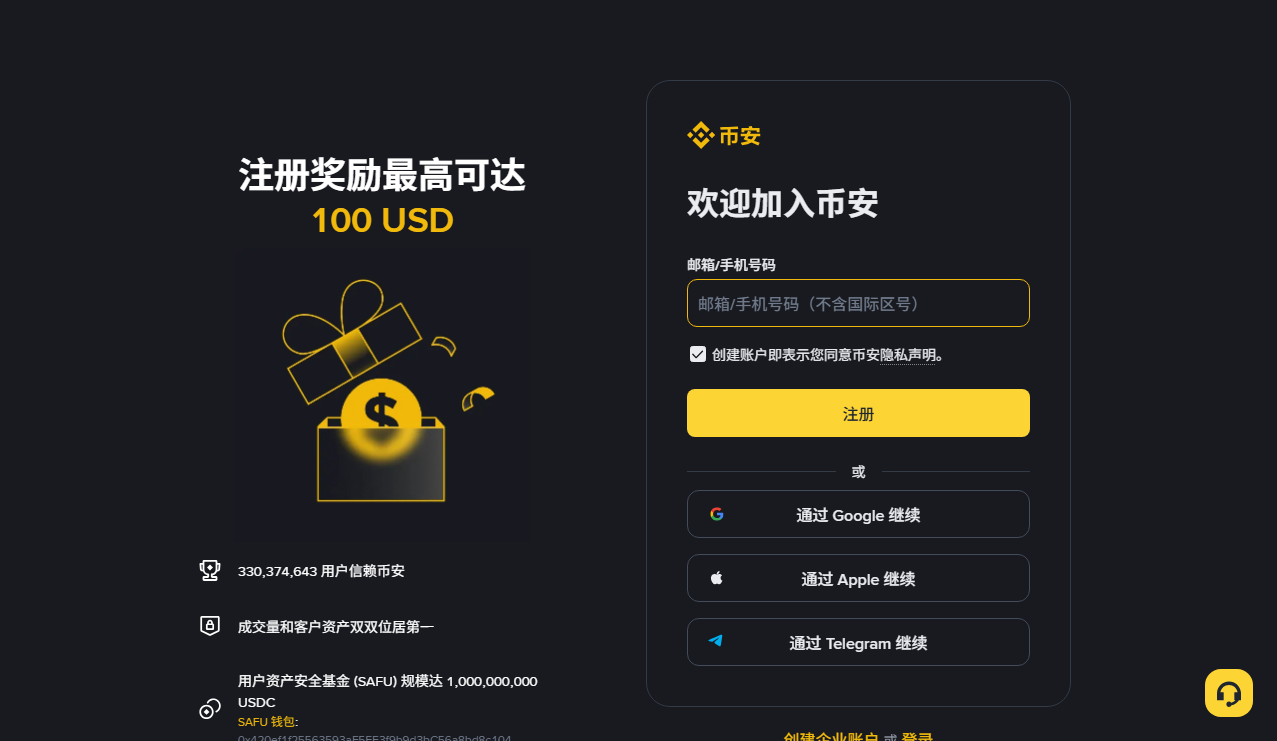
- Select the correct account type and read the displayed terms and privacy notice.
- Enter your contact details carefully, including the relevant country code.
- Enter the code for your current request within the displayed validity period.
- Create independent credentials following the current requirements.
- Check any invitation association before confirming, then continue to identity verification.
Never forward a verification code to someone claiming to finish registration for you. If several messages arrive, an older code may arrive later than a newer one. Check the request sequence instead of repeatedly trying expired codes. Keep a private note of which login method you selected.
Verify association and benefit separately
If you choose this site's invitation, check that the registration flow shows BNB608. The official app guide describes a green tick and Linked beside an associated code. Check the code and status together; copying it here or seeing it in the URL does not confirm association.
The registration documentation says a linked code cannot be modified. Check before confirmation. If no field appears, follow the current platform guidance instead of paying a third party for alleged back-office linking.
Association is one question; the benefit is another. Read the applicable percentage, products, region, account conditions and duration in the actual offer. We have not verified a benefit that applies to every reader. A BNB deduction percentage does not establish an invitation entitlement.
This site contains a referral link and may receive commission from qualifying use. It cannot set your charges or speed up verification. Read the commercial disclosure before choosing the link.
Complete identity verification yourself
The personal-verification guide describes personal information, accepted documents and liveness checks. Follow the document choices shown for your situation. A document accepted somewhere else is not automatically accepted for your account.
Match names and details to the submitted document. Avoid convenient abbreviations or invented transliterations. Review before confirmation because some information is not freely editable afterwards. If genuine details change, use the permitted update process.
Provide clear, complete images through the genuine platform flow. Do not alter document contents, use someone else’s identity or submit prerecorded facial material. Check camera access and lighting for liveness. This site, group administrators and people offering faster approval do not need copies of your documents.
Additional evidence may be requested. Read the accepted-document requirements and wait for the account status or official notification. A published typical review time is not a deadline guarantee, and depositing funds does not replace verification.
Arrange access and recovery before funding
Configure available stronger authentication in the genuine security settings. Understand how recovery works if you lose a phone or cannot receive messages. Do not keep every credential and recovery secret in one easily exposed note.
Secure the email account, inspect recognised devices and review available anti-phishing settings. Reach support by opening the account yourself rather than following an unsolicited message. A green security indicator is not proof that an account is risk-free. No real transfer is required by this guide to test a setting.
Identify the stage when something stops
- Missing code: check spelling, country code, spam and the current request.
- Existing email: use the legitimate recovery route and check your earlier registration.
- Unlinked invitation: check the actual field and current rules; avoid paid linking promises.
- Rejected document: check accepted type, validity and region without editing the document.
- Incomplete liveness: check permissions, framing and lighting; never use a substitute person.
- Unavailable service: check region and product eligibility; changing language does not grant access.
For unresolved cases, describe the stage and error without sharing secrets, and use account support. This site can correct an article but cannot reset accounts or approve an application.
Before moving money
Check service availability, asset form, network and receiving requirements. If BNB is relevant, read wallet gas versus account deductions, then deduction conditions. The reserve budget keeps consumption separate from price risk.
Crypto assets can lose all their value, and regional restrictions differ. Completing registration is not investment advice, legal clearance or a return guarantee. It establishes an account whose actual permitted uses still need checking.
* BNB608’s specific discount has not been confirmed here. Products, locations and benefits depend on the registration page and current terms.
Continue to Binance registration ↗This referral link includes BNB608. Eligible referrals may earn us a commission. Binance determines the actual benefits.